
Our system provides a built-in and simple workflow that to process an application through its entire life cycle, from its initial receipt until it is closed and done as either a completed, funded grant or a rejected or withdrawn application. The workflow has a number of easily configurable options that can be used to add or remove steps for processing applications, evaluations, grant agreements, grant reports and grant payments.
Some of our workflow steps that we support are described below.

We have a number of built-in user types. Users may be an owner, administrator, evaluator or reviewer. There may be only one owner but any number of any other user type. The pages, links, buttons, and actions a user sees and can do will depend on the user permissions they are assigned when their account is created.
Owners and administrators can easily and quickly add, delete and manage user accounts associated with their organization. They can also easily assign users to evaluate applications individually or in bulk. Immediately after a user account is created the new user can log in and start working. There is no limit to the number of users we can support.

Moving to our system is fairly simple. We will ask for some information about your organization, programs and applications and use that information to initially set up the account. We'll then work to build up an initial account in a demonstration sandbox.
After we've put together something we'll then work with you to review your account and teach you how to navigate and use the system. We'll work back and forth until you are happy with the account and application setup. We'll also provide a test applicant account so that you can view the application and application process from the applicant perspective.
Once you've settled on the application and other account details we'll then create a YouTube video for your applicants, showing them how to submit an application to your organization. We create a first version of the video and then provide it to you for review. You come back to us with your notes and comments and we'll modify the video. After you tell us it looks good we'll then post it on YouTube and then also link it into our system so that applicants may watch the video from the first step of the application process.
After this is all done we move the account to our production system, you enter billing information and then flip the switch to start receiving, reviewing, evaluating and managing applications.
Other than initially creating the account, there is nothing else we do behind the scenes. Everything we can do, you can do, so there is no waiting for somebody to do something or additional charges for set up. There is a lot to learn so our approach is to help get things up and running and then as time allows we will train you how to do the work yourself.
We can get your account open and running very quickly. We've had situations in which a grantmaker decided to use our system and we've had them up and accepting applications within 5 days. We try to match how quickly you can move in responding to our questions and reviewing our work.
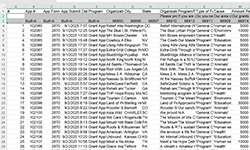
If you can export some or all of that information into an Excel spreadsheet we can then map and import that information into new applications and grants in our system. We'll work with you to map your data to the application and grant fields that you have setup in our system. Our experience has been that many but not all of the fields are moved over, just enough to capture the important information that you want to maintain. This will allow you to have your application and grant history all in one place. This is an optional service and will be cost a one-time small additional charge.
You can set up either a full application or LOI and full application process. In a one step process applicants can submit a full application, it is reviewed and evaluated and either approved or rejected. In a two step process the applicant will first submit a LOI. It is reviewed and evaluated and either approved or rejected. If rejected, that's it. If approved, the applicant will receive an invitation on their dashboard to submit a full application. Only applicants with the invitation can submit full applications.
It is also possible to set up whether you will accept unsolicited or solicited applications. Any applicant can submit an unsolicited application. Only invited applicants can submit a solicited application.
Your applicants can find your application in a couple of different ways. You can tell them you use our system and point them to our Web site. They can then register, search for your organization and program and then start, build and submit an application. We will also provide you a Web URL with some embedded information that you can post on your own Web site, with instructions to your applicants to click on the link. The link will bring them to our Web site where they will register, and after they register, they will land on the first page of your application.
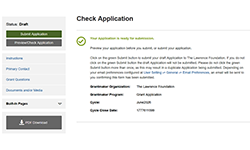
The applicants will then be able to move through the application answering your questions, pausing and coming back easily if they must walk away from the computer for a while. At any point while they are working on the application they can perform a check to make sure the application is complete and ready for submission. If they've missed answering questions, or provided improperly formatted answers, we'll let them know so they can go back and correct things. When all is good they can then submit the application.
Once submitted they will go back to their own dashboard, which will list their application, and receive a confirming email depending on their email preferences. Similarly, the application will show up on the grantmakers dashboard, and they will also receive an email depending on their email preferences.
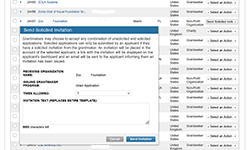
The grantmaker can issue this "solicited" invitation by reviewing a list of applicants and then issuing an invitation. The invitation will appear on the applicants dashboard, and once they receive the invitation, they can use it to submit an application to a program that other uninvited applicants cannot access. Without the invitation applicants will not be able to submit an application.
Sometimes applicants may miss a grant cycle close deadline, and if the grantmaker would like them to submit an application even though the grant cycle is closed, they can issue a "push" invitation, which will allow the invited applicant to submit an application for the closed grant cycle.
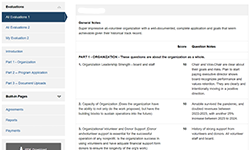
Evaluations can be assigned automatically as received, or you can wait until your grant cycle is closed and then assign evaluation scales and evaluator groups to applications as you see fit.
As the assignments occur evaluators will see the list of applications they have to evaluate appear on their dashboard, and receive a notification email depending on their preferences. Evaluators have various filters they can apply to filter the applications they are assigned to review.
The application will open up side by side with the evaluation questionnaire. The evaluator can review the application, enter their scores and notes, and move on to the next application. Depending on the visibility rules the evaluators will see only their scores and notes, or all of the other evaluators scores and notes.
Administrators can follow the progress of evaluations and keep track of who has completed what, and what is still pending. As evaluation scores are entered, our system automatically does math with the scores to calculate total, weighted and average scores. This information is exportable for analysis and reporting, and can be used as a starting point, based on your own processes, to judge which applications should be approved or rejected.
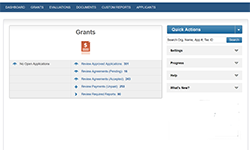
Once an application has been approved, in our terminology it then becomes a grant or scholarship, although we frequently use the word grant for both. An application becoming a grant unlocks an additional set of actions that can be performed, including managing any online grant agreements, grant reports and grant payments.
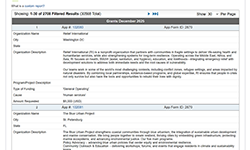
If our built-in listing and report pages don't provide what you need, you can also create custom reports, which allows you to pick and choose what information you'd like to extract. Each report has a series of filters that can be applied to restrict which applications, etc. are included in the report. All of the fields in the application, grant report, letter of recommendation or evaluation along with an additional set of built-in fields can be picked and used to build a report. This information can be displayed in the Web browser, printed out to a PDF, exported to a Zip file or exported to a CSV (i.e. Excel) file. Exported information can be used by external bookkeeping or accounting, check writing, mail merge, analysis, report writing and visualization applications.
If you need to do more complicated analysis, report writing and visualization that our built-in reports can't handle you can use an AI assistant. This comes with the caveat that any secure and private information from our system that is provided to an AI assistant, may, depending on the AI company's policies, go out into the wild and become public information.
Multiple reports can be created, saved and run by administrators and others.

We provide a range of email capabilities to communicate within the grantmaker and between the grantmaker and applicant. Some of these capabilities are automatically invoked during various steps of the workflow. Other communications can be issued on an as needed basis.
Many of emails generated by our system are fixed in their format, although certain emails offer some flexibility to replace the automatic text with your own text. Communications can be tied to applications, organizations or users.
The history of most of these communications are recorded in administrator viewable logs. On a somewhat related note, for a given application, if the applicant for that application has previously submitted other applications to the same grantmaker, they will be listed as part of the application.

We have a preference for communication by email (it is a bit easier to track and manage) but phone is also fine. We currently don't use chat or texting for support and we don't have a user group yet.
We are committed to providing support during Mountain Time business hours, but it is not unusual for us to monitor our support email during non-business hours. Our goal is to respond to support requests within the same business day, although we try to respond more quickly. You are not alone, we are here to help, and we have a great reputation among our users for the support that we provide.